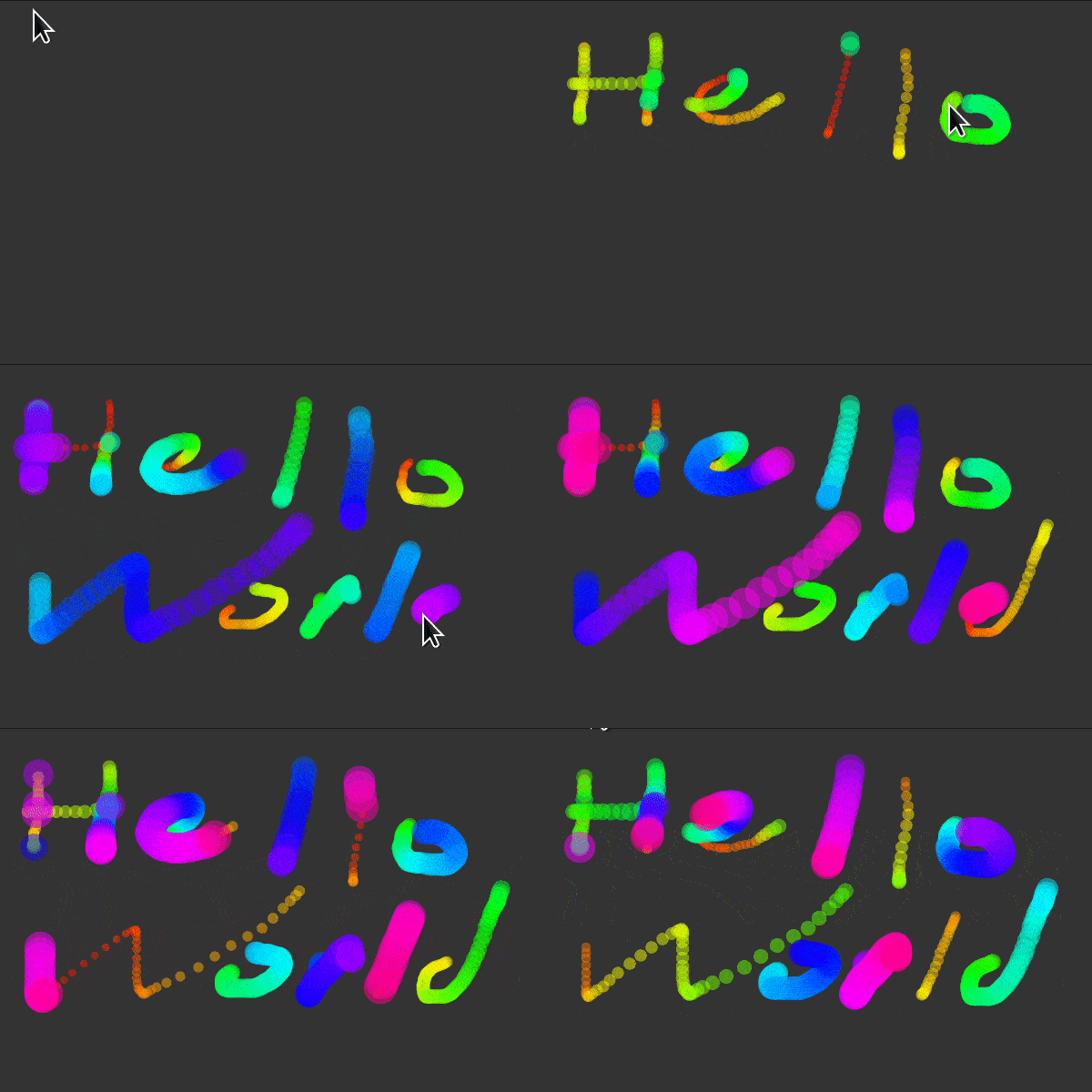
import py5  # check out https://github.com/py5coding
from collections import deque  # a double-ended queue

history = deque(maxlen=512)  # mouse dragged positions

def setup():   # py5 will call this once to set things up
    py5.size(600, 400)
    py5.no_stroke()
    py5.color_mode(py5.HSB)

def draw():   # py5 will call this in a loop
    py5.background(51)
    for i, (x, y) in enumerate(history):
        py5.fill(i / 2, 255, 255, 128)
        py5.circle(x, y, 8 + i / 16)
    history.rotate(-1)

def mouse_dragged():  # py5 will call this when you drag the mouse
    history.append((py5.mouse_x, py5.mouse_y))

py5.run_sketch()Arte com matrizes:
NumPy na programação criativa
Art with matrices: NumPy in Creative Coding
Essas práticas artísticas tem muitos nomes!
These artistic practices have many names!
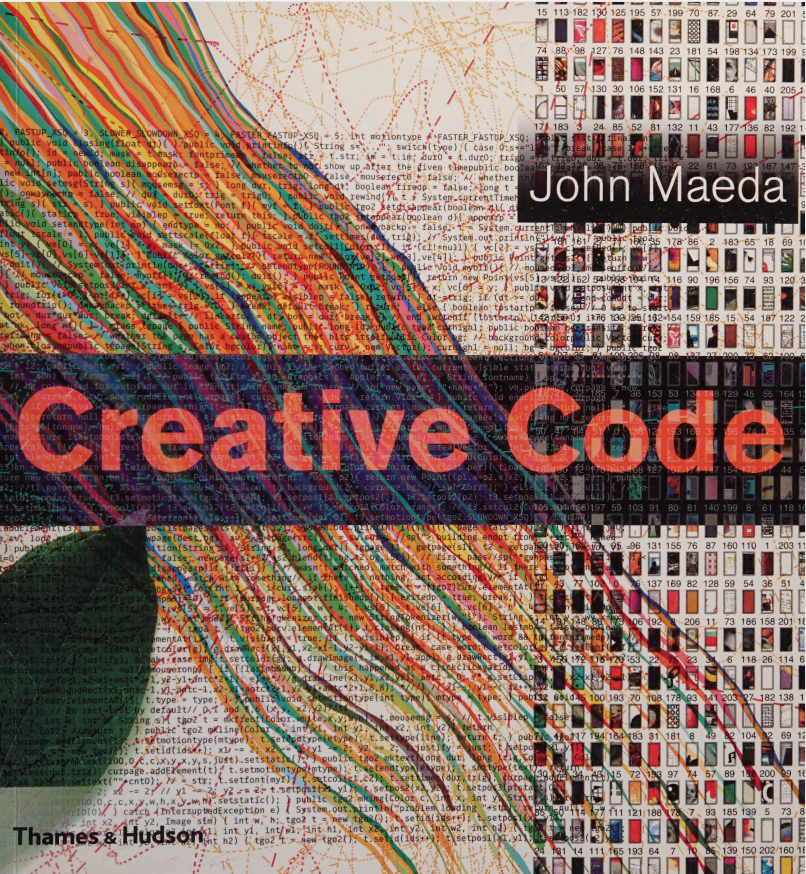
Por que um artista deveria programar?
Why should an artist program?
John Simon, Jr. Authorship, Creativity, and Code
O que é py5? What is py5?
py5 é uma biblioteca, ou um framework, para programação criativa.
py5 is a Creative Coding library/framework.
O que é py5? What is py5?
Na sala de aula podemos usar o modo importado
In a classroom setting we can use imported mode
# não precisa import py5 e run_sketch no "imported mode"
from collections import deque

history = deque(maxlen=512)  # histórico das posições

def setup():
    size(600, 400)
    no_stroke()
    color_mode(HSB)

def draw():  # laço principal do py5
    background(51)
    for i, (x, y) in enumerate(history):
        fill(i / 2, 255, 255, 128)
        circle(x, y, 8 + i / 16)
    history.rotate(-1)

def mouse_dragged():  # ao arrastar o mouse
    history.append((mouse_x, mouse_y))
Carregando pixels como um array NumPy
Loading the pixels as a NumPy array
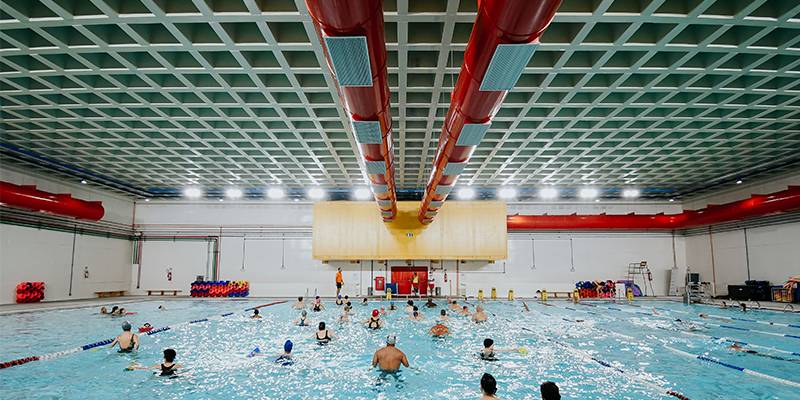
(400, 800, 4)

[[[255  96 119 105]
  [255  37  61  49]
  [255   2  30  20]
  ...
  [255  15  43  34]
  [255  16  42  33]
  [255  16  42  31]]

 [[255 124 146 130]
  [255 105 132 115]
  [255  63  89  75]
  ...
  [255  19  42  34]
  [255  20  43  34]
  [255  20  43  32]]

 [[255 110 132 116]
  [255 111 133 117]
  [255 118 141 125]
  ...
  [255  20  43  34]
  [255  19  44  32]
  [255  21  42  33]]

 ...

 [[255  92 157 170]
  [255  78 148 162]
  [255 100 159 172]
  ...
  [255 112 168 178]
  [255 119 171 181]
  [255 118 170 181]]

 [[255 129 181 194]
  [255 114 171 183]
  [255  98 157 170]
  ...
  [255  92 162 177]
  [255 100 165 178]
  [255 105 165 177]]

 [[255 130 175 186]
  [255  95 153 166]
  [255  75 142 157]
  ...
  [255  75 153 170]
  [255  82 157 173]
  [255  84 157 172]]]
Manipulando fatias do array!
Manipulating array slices!
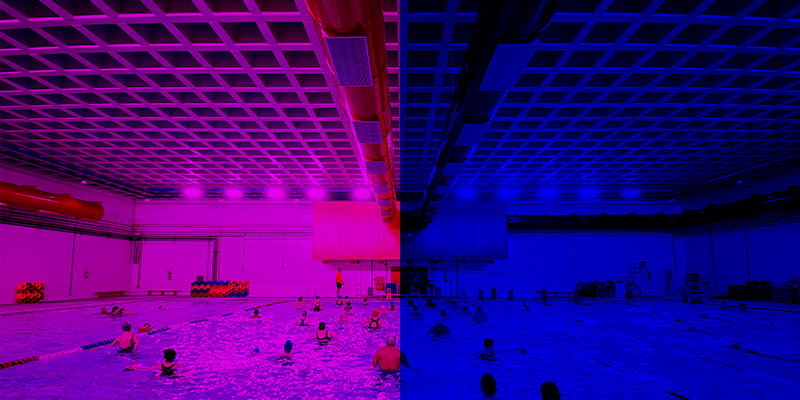
import py5


def setup():
    py5.size(800, 400)
    img_path = "swimming-pool.png"
    img = py5.load_image(img_path)
    img.load_np_pixels()
    pixels_array = img.np_pixels  # shape is (400, 800, 4)
    pixels_array[:, 400:, 1] = 0
    pixels_array[:, :, 2] = 0
    img.update_np_pixels()
    py5.image(img, 0, 0)

#     py5.save_frame("red-blue-swimming-pool.png")

py5.run_sketch()
Um filtro de saturação na unha!
A saturation filter from scratch
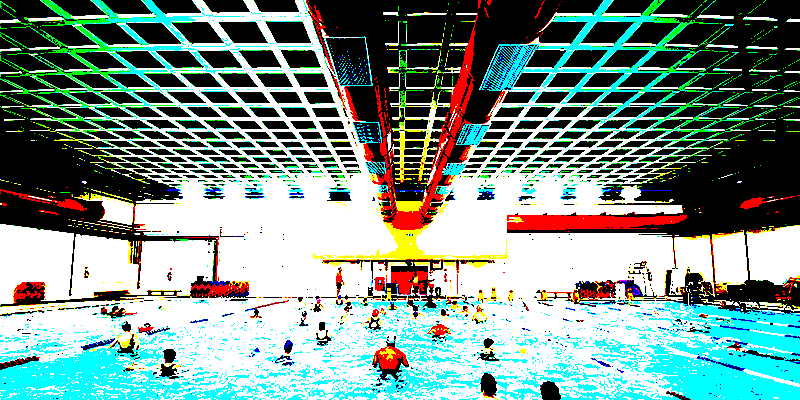
import py5

def setup():
    py5.size(800, 400)
    py5.background(0)
    img_path = "piscina.png"
    img = py5.load_image(img_path)
    img.load_np_pixels()
    pixels_array = img.np_pixels
    pixels_array[pixels_array > 128] = 255
    pixels_array[pixels_array < 128] = 0
    img.update_np_pixels()
    py5.image(img, 0, 0)
    py5.save_frame("saturated.png")

py5.run_sketch()
Uma imagem direto de um array Numpy!
An image straight from a NumPy array!
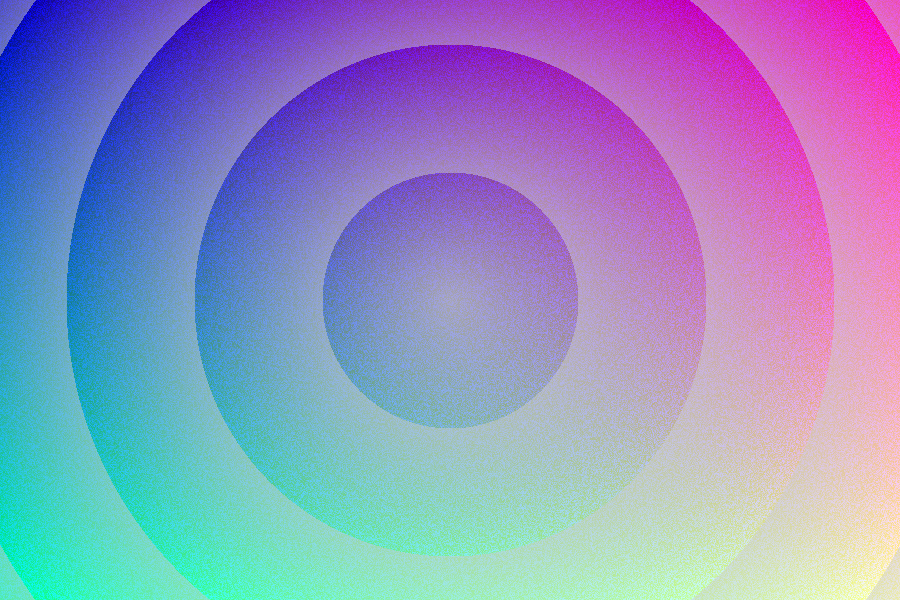
import numpy as np
import py5


def setup():
    py5.size(900, 600)
    w, h = py5.width, py5.height
    R = np.linspace(0, 255, w).reshape(1, -1)
    G = np.linspace(0, 255, h).reshape(-1, 1)
    B = np.random.uniform(128, 255, (h, w))
    A = np.array(
        [[128 + py5.dist(w / 2, h / 2, x, y) % 128
          for x in range(w)]
         for y in range(h)]
    )
    rgba = np.dstack(np.broadcast_arrays(R, G, B, A))
    img = py5.create_image_from_numpy(rgba, "RGBA")
    py5.image(img, 0, 0)
    py5.save_frame("circles.png")


py5.run_sketch()Qual a diferença entre “ruído” e “random”?
First, what is the difference between “noise” and “random”?
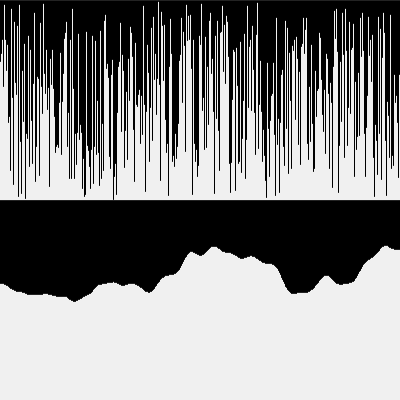
import numpy as np
import py5

noise_scale = 0.01


def setup():
    py5.size(400, 400)


def draw():
    py5.background(240)
    x_offset = 0  # py5.mouse_x

    np.random.seed(1001)
    all_xs = np.arange(py5.width)
    random_ys = np.random.uniform(0, py5.height / 2, py5.width)
    base_ys = np.zeros(py5.width)
    py5.lines(
        np.column_stack(
            [
                all_xs,  # xa
                base_ys,  # ya (all start at 0)
                all_xs,  # xb (same as xa)
                random_ys,  # yb the random
            ]
        )  # type: ignore
    )

    all_xs = np.arange(py5.width)
    base_ys = np.ones(py5.width) * (py5.height / 2)
    noise_values = py5.noise((x_offset + all_xs) * noise_scale)
    noise_ys = py5.lerp(py5.height / 2, py5.height, noise_values)

    py5.lines(
        np.column_stack(
            [
                all_xs,  # xa
                base_ys,  # ya (all start at height/2)
                all_xs,  # xb (same as xa)
                noise_ys,  # yb (from noise)
            ]
        )  # type: ignore
    )


def key_pressed():
    if py5.key == "s":
        py5.save_frame("###.png")


py5.run_sketch()
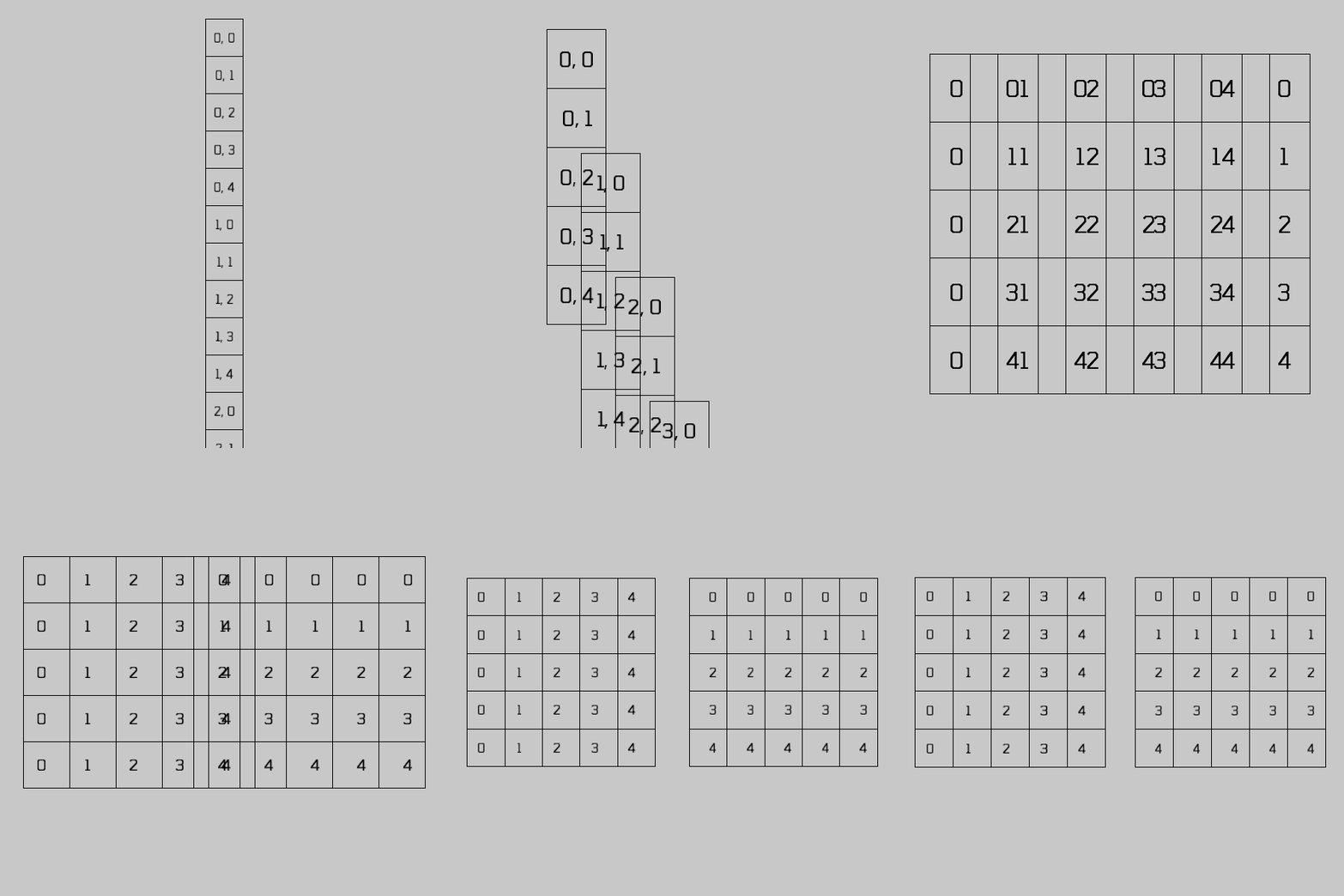
Grades e o np.meshgrid
Noise em 2D / 3D
Exemplo do Tom Larrow
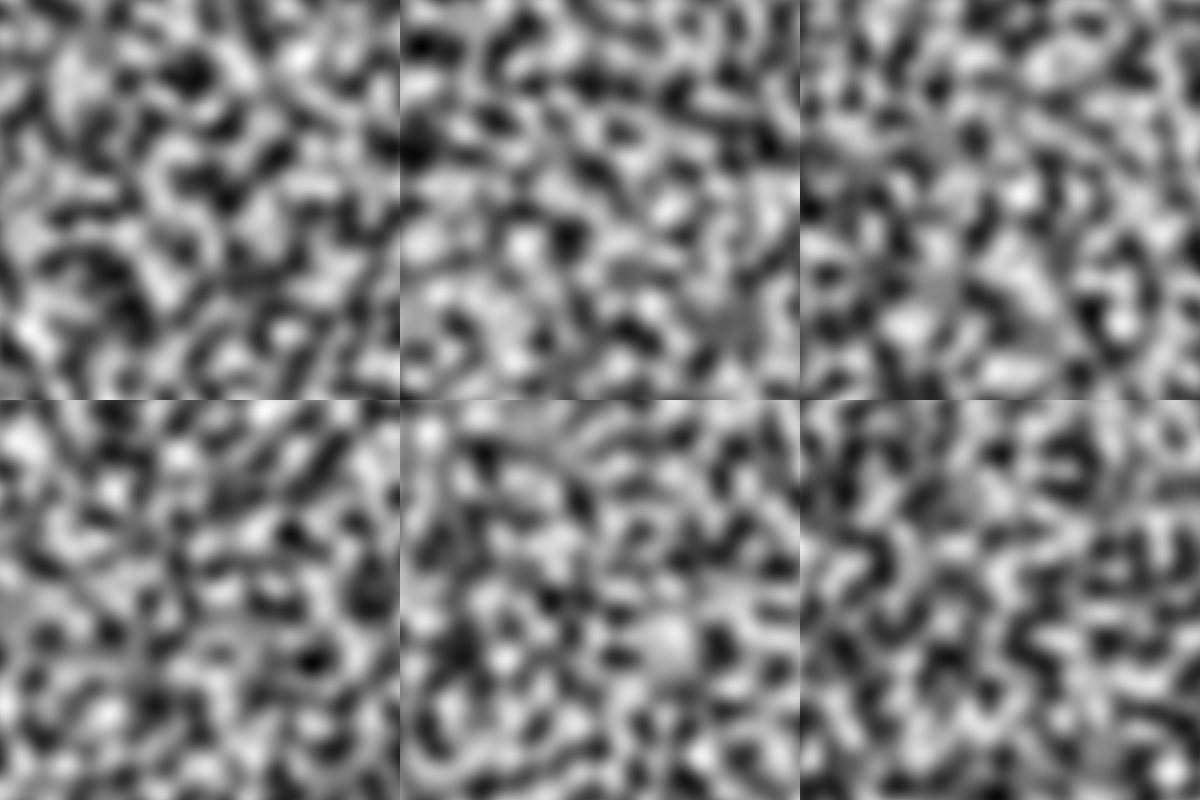
"""
Adapted from Tom Larrow's example:
https://codeberg.org/TomLarrow/creative-coding-experiments/src/branch/main/x_0000/x_0057

«An exploration into using numpy to speed up noise in py5
A recreation of https://github.com/jdf/processing.py/blob/master/mode/examples/Basics/Math/Noise3D/Noise3D.pyde
using numpy examples from https://py5coding.org/how_tos/generate_noise_values.html»
"""

import py5
import numpy as np

# How far apart the noise values will be. Lower numbers are more gradual
noise_increment = 0.02

def setup():
    global mesh_x, mesh_y
    py5.size(400, 400)
    # Builds two 2D arrays, mesh_x and mesh_y which have the dimensions of width x height
    # mesh_x has the values of the x position * noise_increment in the x direction, and is
    # duplicated for every y row, mesh_y has the values of the y position * noise_increment in the y
    # direction, and is duplicated for every x column
    mesh_x, mesh_y = np.meshgrid(
        np.arange(0, py5.width * noise_increment, noise_increment),
        np.arange(0, py5.height * noise_increment, noise_increment),
    )

def draw():
    # The next line essentially loops through screen width and the screen height and
    # generates a value between 0 and 255 for each point. However because  we're passing
    # in the arrays mesh_x and mesh_y, it is generating an array output all at once instead
    # of calling os_noise over and over in a loop. This dramatically improves performance
    out = py5.remap(
        py5.os_noise(mesh_x, mesh_y, py5.frame_count * noise_increment), -1, 1, 0, 255
    )
    # Now that we have an array with the output, set the sketch's main canvas with it
    # bands = "L" is for a greyscale image since r,g, and b would all be the same value
    py5.set_np_pixels(out, bands="L")  # type: ignore
    # Write the framerate to the window tile to see the effect of the
    # optimization
    py5.window_title(str(round(py5.get_frame_rate(), 1)))

py5.run_sketch()
Agora um exemplo avaçado
Uma grade 2D de posições e mapeia os valores em uma paleta que é um array de cores…
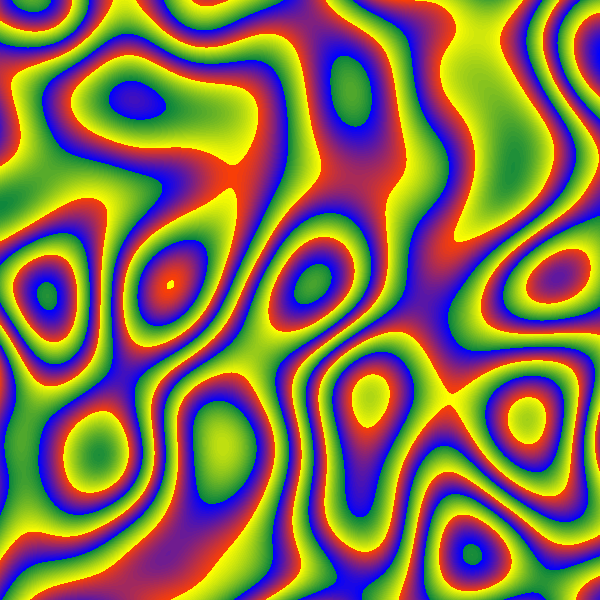
import numpy as np
import py5

n_seed = 1
noise_scale = 0.005


def setup():
    global mesh_x, mesh_y, np_colors
    py5.size(600, 600)
    blue_to_red = [py5.color(a * 8, a * 2, 255 - a * 8) for a in range(32)]
    yellow_to_blue = [py5.color(255 - a * 8, 255 - a * 4, a * 2) for a in range(32)]
    colors = (blue_to_red + yellow_to_blue) * 5
    np_colors = np.dstack(
        (
            [c >> 24 & 0xFF for c in colors],
            [c >> 16 & 0xFF for c in colors],
            [c >> 8 & 0xFF for c in colors],
            [c & 0xFF for c in colors],
        )
    )[0]
    mesh_x, mesh_y = np.meshgrid(
        np.arange(0, py5.width, 1) * noise_scale,
        np.arange(0, py5.height, 1) * noise_scale,
    )
    py5.background(0)
    py5.load_np_pixels()


def draw():
    py5.os_noise_seed(n_seed)
    z = py5.mouse_x
    noise_values = py5.os_noise(mesh_x, mesh_y, z * noise_scale)
    idxs = py5.remap(noise_values, -1, 1, 0, len(np_colors)).astype(np.uint32)  # type: ignore
    py5.set_np_pixels(np_colors[idxs], bands="ARGB")


def key_pressed():
    py5.save_frame("####.png")


py5.run_sketch()Partículas! Particles!
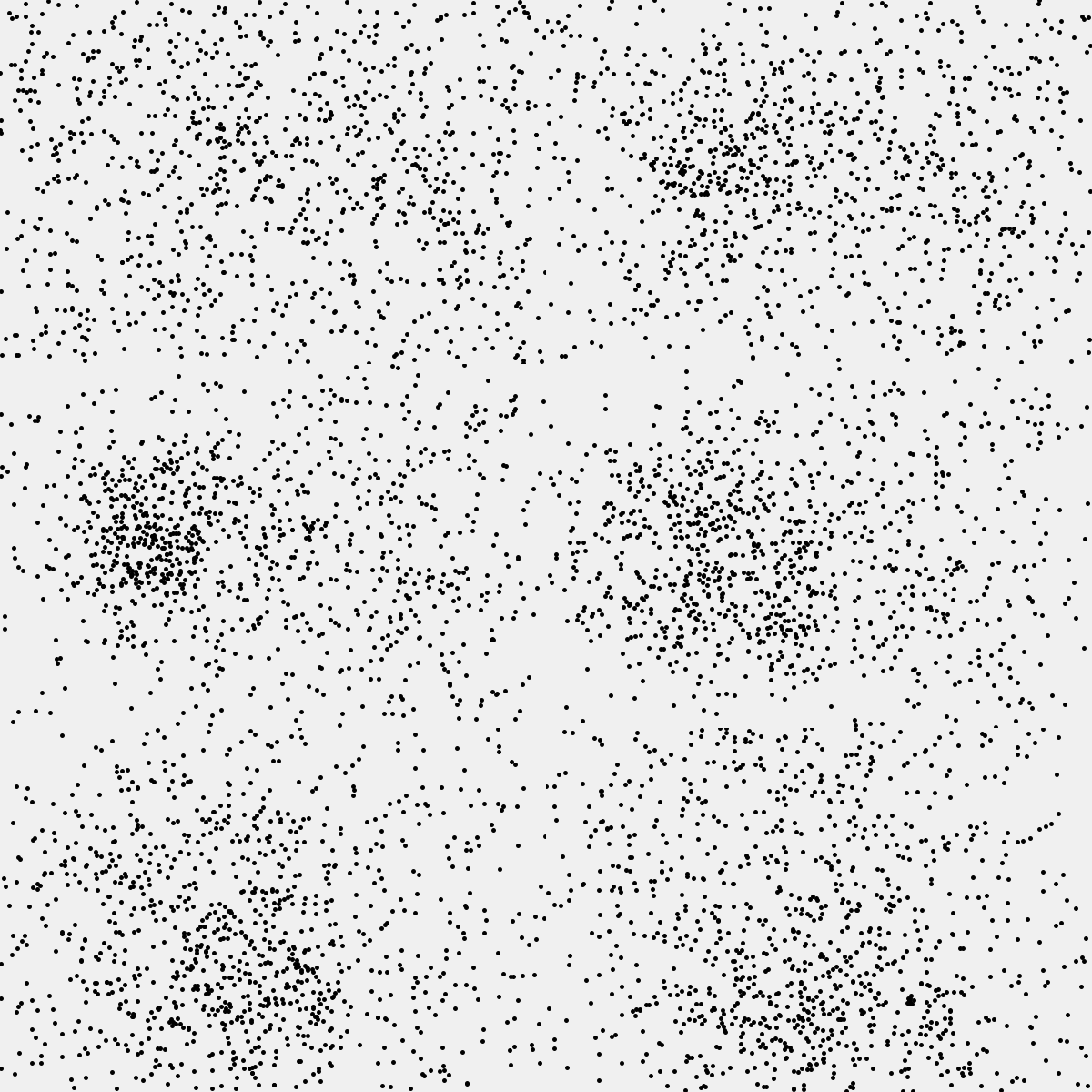
import numpy as np
import py5

N = 1000
WIDTH, HEIGHT = 600, 400
ACCELERATION_SCALE = 4
VELOCITY_SCALE = 0.25
FRICTION_FACTOR = 1 - 0.001

# set initial positions and velocities
pos = np.random.uniform([0, 0], [WIDTH, HEIGHT], size=(N, 2))
initial_headings = np.random.uniform(0, 2 * np.pi, size=N)
vel = (
    np.column_stack([np.cos(initial_headings), np.sin(initial_headings)])
    * np.random.uniform(-5, 5, size=N)[:, None]
)


def setup():
    py5.size(WIDTH, HEIGHT)
    py5.stroke_weight(5)


def draw():
    global pos, vel
    py5.background(240)

    # vectors pointing towards mouse position from each particle
    v_mouse = np.array([py5.mouse_x, py5.mouse_y]) - pos
    # attraction force is closest for particles near the mouse
    acc = v_mouse / (v_mouse**2).sum(axis=1)[:, None]

    # update particle velocity and position
    vel = vel + ACCELERATION_SCALE * acc
    vel *= FRICTION_FACTOR
    pos = pos + VELOCITY_SCALE * vel
    pos %= (WIDTH, HEIGHT)  # wrap edges

    # draw updated points
    py5.points(pos)  # type: ignore


py5.run_sketch()Flocking: Cardumes e revoadas
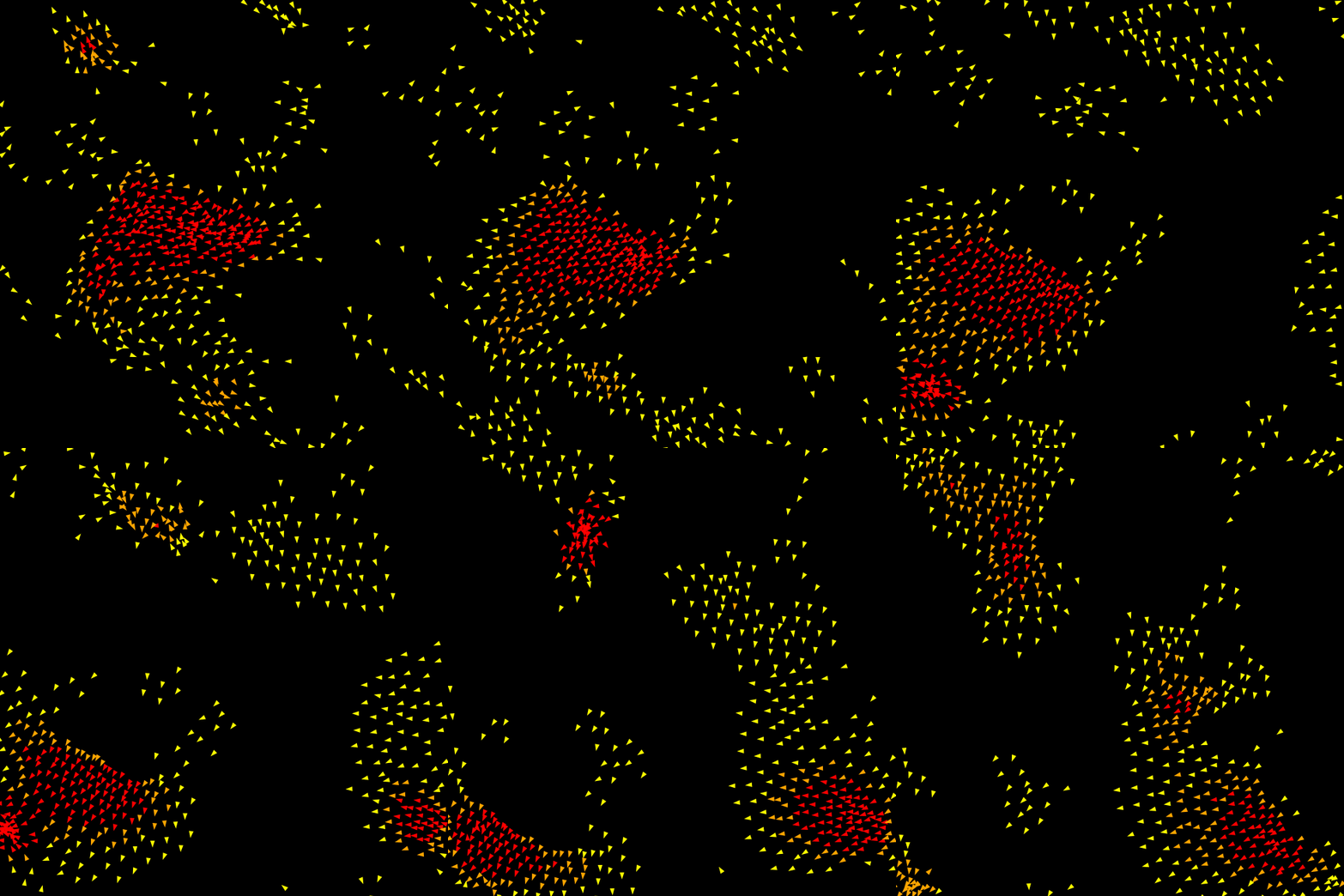
# -----------------------------------------------------------------------------
# Copyright (2025) Alexandre B A Villares - BSD license
# Numpy flocking with py5 - revisiting sketch 2024_01_19
#
# Based on the boids flocking example from "From Python to Numpy"
# Copyright (2017) Nicolas P. Rougier - BSD license
# More information at https://github.com/rougier/numpy-book
# -----------------------------------------------------------------------------
import numpy as np
import py5

WIDTH = 650
HEIGHT = 650
BOID_COUNT = 500
BOID_SIZE = 10


def constrain_magnitude(v, max_mag, *, min_mag=0.0):
    norm = np.linalg.norm(v, axis=1, keepdims=True)
    np.multiply(
        v,
        max_mag / norm,
        out=v,
        where=norm > max_mag,
    )

    if min_mag > 0:
        np.multiply(
            v,
            min_mag / norm,
            out=v,
            where=norm < min_mag,
        )

    return v


class Flock:
    def __init__(self, boid_count, width, height):
        self.width = width
        self.height = height
        self.min_velocity = 0.5
        self.max_velocity = 2.0
        self.max_acceleration = 0.03
        self.velocity = np.zeros((boid_count, 2), dtype=np.float32)
        self.position = np.zeros((boid_count, 2), dtype=np.float32)

        # initial random velocity
        angle = np.random.uniform(0, 2 * np.pi, boid_count)
        self.velocity[:, 0] = np.cos(angle)
        self.velocity[:, 1] = np.sin(angle)

        # initial random position in circle
        angle = np.random.uniform(0, 2 * np.pi, boid_count)
        radius = min(width, height) / 2 * np.random.uniform(0, 1, boid_count)
        self.position[:, 0] = width / 2 + np.cos(angle) * radius
        self.position[:, 1] = height / 2 + np.sin(angle) * radius

    def update(self):
        # max_acceleration = self.max_acceleration
        n = len(self.position)

        # subtract.outer(A, B) calculates the difference between
        # every value in A with every value in B
        dx = np.subtract.outer(self.position[:, 0], self.position[:, 0])
        dy = np.subtract.outer(self.position[:, 1], self.position[:, 1])
        distances = np.hypot(dx, dy)

        # Compute common distance masks
        separation_mask = (0 < distances) * (distances < 25)
        alignment_mask = (0 < distances) * (distances < 50)
        cohesion_mask = alignment_mask
        separation_count = np.maximum(separation_mask.sum(axis=1), 1)
        alignment_count = np.maximum(alignment_mask.sum(axis=1), 1)
        cohesion_count = alignment_count
        self.neighbor_count = alignment_count

        # Separation Force, keeps boids from getting too close
        mask, count = separation_mask, separation_count
        target = np.dstack((dx, dy))
        target = np.divide(
            target,
            distances.reshape(n, n, 1) ** 2,
            out=target,
            where=distances.reshape(n, n, 1) != 0,
        )
        steer = (target * mask.reshape(n, n, 1)).sum(axis=1) / count.reshape(n, 1)
        norm = np.linalg.norm(steer, axis=1, keepdims=True)
        steer = self.max_velocity * np.divide(steer, norm, out=steer, where=norm != 0)
        steer -= self.velocity

        separation_force = constrain_magnitude(steer, self.max_acceleration)

        # Alignment Force, keeps neighboring boids moving
        # in the same direction. Each boid's direction
        # is the average of its neighbors
        mask, count = alignment_mask, alignment_count
        target = np.dot(mask, self.velocity) / count.reshape(n, 1)

        # Compute steering
        norm = np.linalg.norm(target, axis=1, keepdims=True)
        target = self.max_velocity * np.divide(
            target, norm, out=target, where=norm != 0
        )
        steer = target - self.velocity

        alignment_force = constrain_magnitude(steer, self.max_acceleration)

        # Cohesion Force, keeps neighboring boids together
        # Boids steer towards the average neighbor position
        mask, count = cohesion_mask, cohesion_count
        target = np.dot(mask, self.position) / count.reshape(n, 1)

        # Compute steering
        desired = target - self.position
        norm = np.linalg.norm(desired, axis=1, keepdims=True)
        desired *= self.max_velocity / norm
        steer = desired - self.velocity

        cohesion_force = constrain_magnitude(steer, self.max_acceleration)

        # aggregate forces and calculate new position
        acceleration = 1.5 * separation_force + alignment_force + cohesion_force
        self.velocity += acceleration

        self.velocity = constrain_magnitude(
            self.velocity, self.max_velocity, min_mag=self.min_velocity
        )

        # update position
        self.position += self.velocity

        # Wraparound window
        self.position += (self.width, self.height)
        self.position %= (self.width, self.height)


flock = Flock(BOID_COUNT, WIDTH, HEIGHT)


def setup():
    py5.size(WIDTH, HEIGHT)
    py5.no_stroke()


def draw():
    py5.background(0)
    flock.update()

    red_mask = flock.neighbor_count > 30
    orange_mask = (20 < flock.neighbor_count) * (flock.neighbor_count <= 30)
    yellow_mask = flock.neighbor_count <= 20
    draw_boids(flock, red_mask, "red")
    draw_boids(flock, orange_mask, "orange")
    draw_boids(flock, yellow_mask, "yellow")


def draw_boids(flock, mask, fill_color):
    position = flock.position[mask]
    velocity = flock.velocity[mask]

    # calculate the 3 vertices of each boid symbol
    norm_vel = velocity / np.linalg.norm(velocity, axis=1, keepdims=True)
    heading = norm_vel * BOID_SIZE
    perpend_a = norm_vel[:, ::-1].copy() * (BOID_SIZE / 3)
    perpend_a[:, 0] = -perpend_a[:, 0]
    perpend_b = norm_vel[:, ::-1].copy() * (BOID_SIZE / 3)
    perpend_b[:, 1] = -perpend_b[:, 1]
    right_points = position + perpend_a
    left_points = position + perpend_b
    head_points = position + heading
    triangles = np.hstack((left_points, right_points, head_points)).reshape(-1, 2)

    py5.fill(fill_color)
    with py5.begin_shape(py5.TRIANGLES):
        py5.vertices(triangles)  # type: ignore


py5.run_sketch()
Particle Life
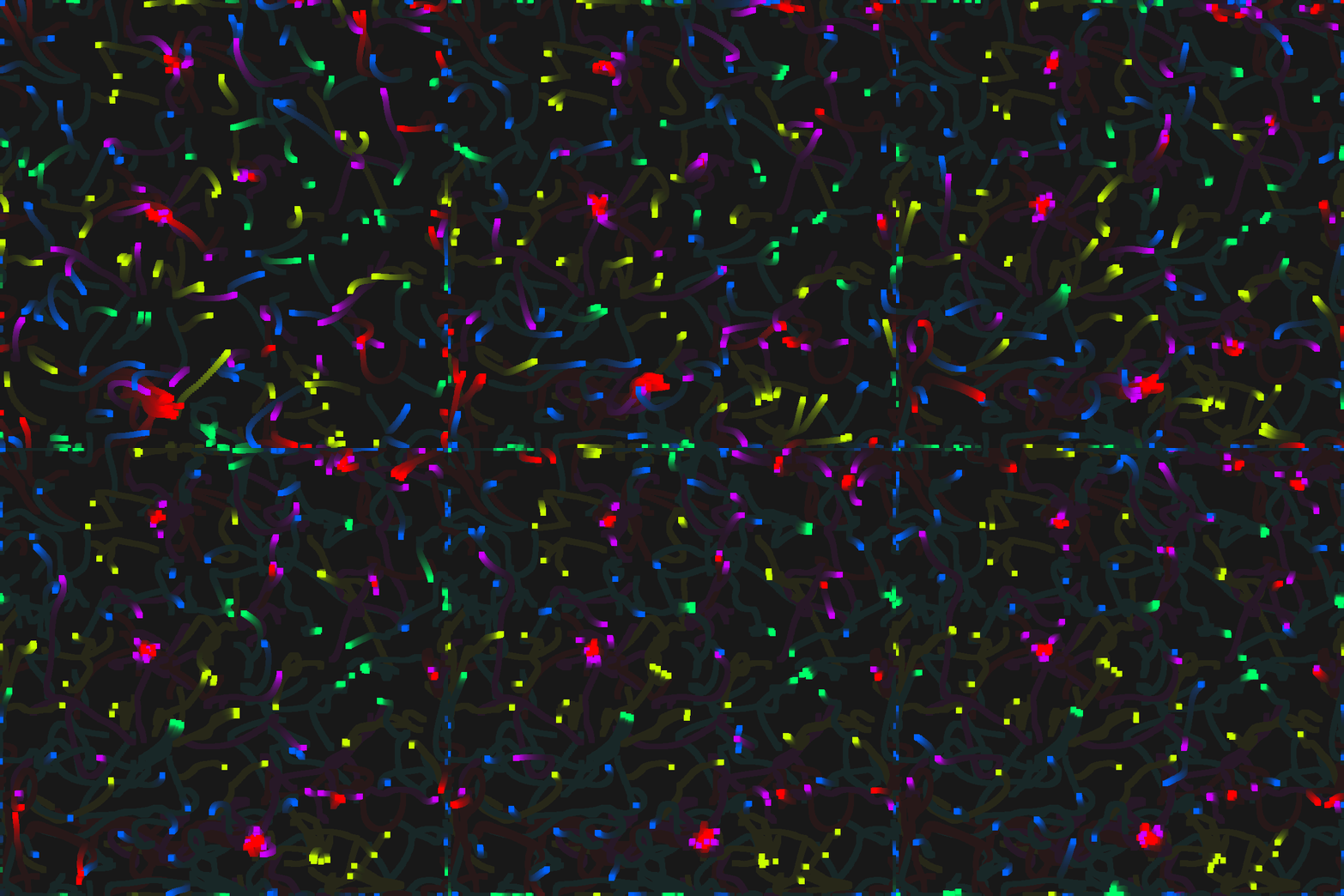
# Experiment inspired by the "Particle Life" strategies
# Presented by John @introscopia at Noite de Processing

import numpy as np
import py5
from scipy.spatial import KDTree

WIDTH = 800
HEIGHT = 800

PARTICLE_COUNT = 200
ESPECIE_COUNT = 5
COLOR_STEP = 256 / ESPECIE_COUNT
INTERACTION_DIST = 100
SIZE_SQR = 10  # "squared" particle size
OPPOSITES_ATTRACT_BIAS = -1
SAME_SPECIES_BIAS = 1

# positive numbers attract, negative repel
attraction_rules = np.random.uniform(-3, 3, (ESPECIE_COUNT, ESPECIE_COUNT))
# apply biases to attraction rules
attraction_rules += SAME_SPECIES_BIAS * np.eye(ESPECIE_COUNT, ESPECIE_COUNT)
attraction_rules += OPPOSITES_ATTRACT_BIAS * (1 - np.eye(ESPECIE_COUNT, ESPECIE_COUNT))


class Particle:
    def __init__(self, width, height):
        self.width = width
        self.height = height

        self.pos = np.array([py5.random(width), py5.random(height)])
        self.vel = np.array([py5.random(-1, 1), py5.random(-1, 1)])
        self.especie = int(py5.random(ESPECIE_COUNT))

    def update(self, tree):
        self.pos = (self.pos + self.vel) % (self.width, self.height)
        self.vel *= 0.95

        # query tree to get points in same cluster
        for i in tree.query_ball_point(self.pos, r=INTERACTION_DIST):
            other = particles[i]
            force = self.pos - other.pos
            dsq = (force**2).sum()
            if dsq < INTERACTION_DIST**2:
                if dsq < SIZE_SQR:
                    # prevent particles from being too close together
                    force_mag = py5.remap(dsq, 0, SIZE_SQR, 1, 0)
                else:
                    # attraction force is stronger for particles that
                    # are farther apart
                    force_mag = -(
                        py5.remap(dsq, 0, INTERACTION_DIST**2, 0.001, 0)
                        * attraction_rules[self.especie][other.especie]
                    )

                self.vel += force * force_mag

        # display particle
        py5.stroke(self.especie * COLOR_STEP, 255, 255)
        py5.point(*self.pos)


particles = [Particle(WIDTH, HEIGHT) for _ in range(PARTICLE_COUNT)]
trails = False


def setup():
    py5.size(WIDTH, HEIGHT)
    py5.no_smooth()
    py5.color_mode(py5.HSB)

    py5.stroke_weight(10)
    py5.stroke_cap(py5.PROJECT)

    py5.background(0)


def draw():
    if trails:
        py5.no_stroke()
        py5.fill(32, 16)
        py5.rect(0, 0, py5.width, py5.height)
    else:
        py5.background(0)

    tree = KDTree(tuple(p.pos for p in particles))
    for p in particles:
        p.update(tree)


def key_pressed():
    global trails
    if py5.key == "t":
        trails = not trails


py5.run_sketch()
E tantas outras coisas! And so much more!
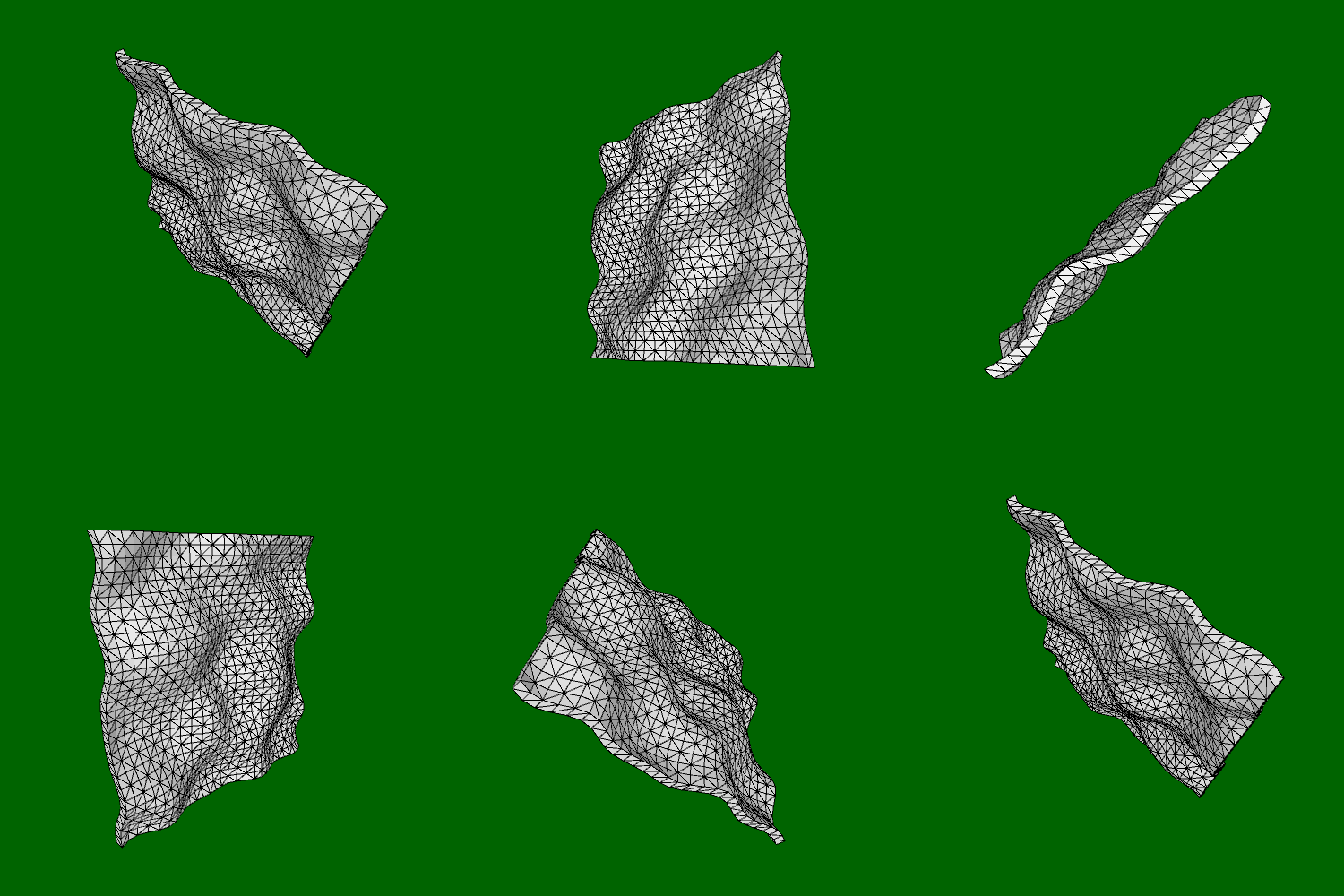
Esperamos que depois disso você nos acredite que, mesmo sem grandes conhecimentos de computação científica ou ciência de dados, todo mundo pode usar bibliotecas Python avançadas para criar uma grande variedade de coisas!
We hope that after this you believe us that even without deep knowledge of scientific computing or data science, we can all use advanced Python libraries to create a wide variety of things!
Para mais sobre nós & py5…
For more about us & py5…
- Main: py5coding.org
- Forum: github.com/py5coding/py5generator/discussions
- Mastodon: fosstodon.org/@py5coding

Presentation URL: https://github.com/py5coding/python-brasil-2026